Personal finance clarity

See what changed. Know what's coming.

Paledor gives your month one private place to track spending, manage recurring money, plan budgets and goals, and understand changes without spreadsheets or AI reading your data.

Private by design No AI reading your data Import, export, backup Built for monthly clarity
Paledor app icon
Private by design Built around clarity, transparency, and control.
Clear monthly planning See the current month and what is already ahead.
Useful insights without noise Signals help explain patterns without turning into hype.
Flexible imports and organization Track manually or bring records in from files.

How Paledor helps

Clarity for the parts of money that move.

Paledor focuses the month into three practical jobs: reviewing what changed, planning what is coming, and understanding the pattern behind it.

1

Know what changed

See income, spending, balance, and attention items in one place.

2

Plan what's coming

Track budgets, goals, recurring items, and upcoming transactions before the month gets away.

3

Understand the pattern

Use signals, trends, and score-based insights to spot what needs attention.

Paledor overview showing available to spend, money score, spending breakdown, transactions, goals, recurring suggestions, privacy, and import/export tools.

Feature tour

Built around the way a month unfolds.

Explore the core Paledor workflows: privacy, insights, recurring money, data control, budgeting, transaction review, and goals.

Privacy

Your data. Your control.

Private, local-first tools keep backup, recovery, and data control visible without adding unnecessary noise.


  • Encrypted backup
  • Recovery passphrase
  • No AI reading your data
Paledor privacy-first control visual showing encrypted backup, recovery passphrase, local control, and no AI reading your data.
Paledor stats and insights visual showing money score, budget signals, goal signals, planning signals, behavior shifts, and what changed.

Insights

Stats that explain the month

Clear signals and summaries help show what changed, what needs attention, and how the month is moving.

  • Money score
  • Budget and goal signals
  • Behavior shifts

Recurring

Recurring expenses and income

Find repeating patterns, review suggestions, and keep upcoming bills and income easier to follow.
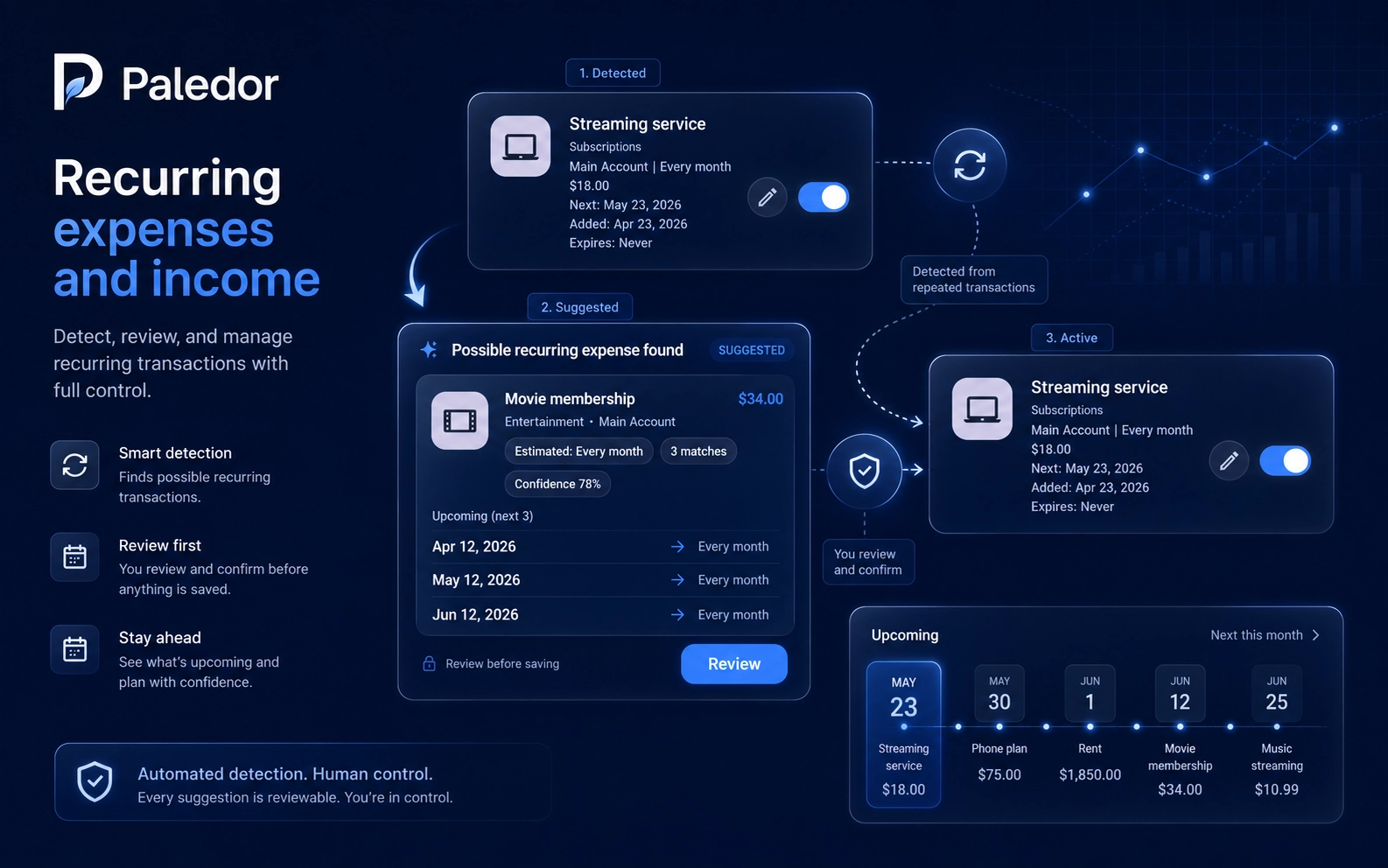
  • Reviewable suggestions
  • Recurring rules
  • Upcoming timeline
Paledor recurring expenses and income visual showing detected, suggested, and active recurring transaction cards.
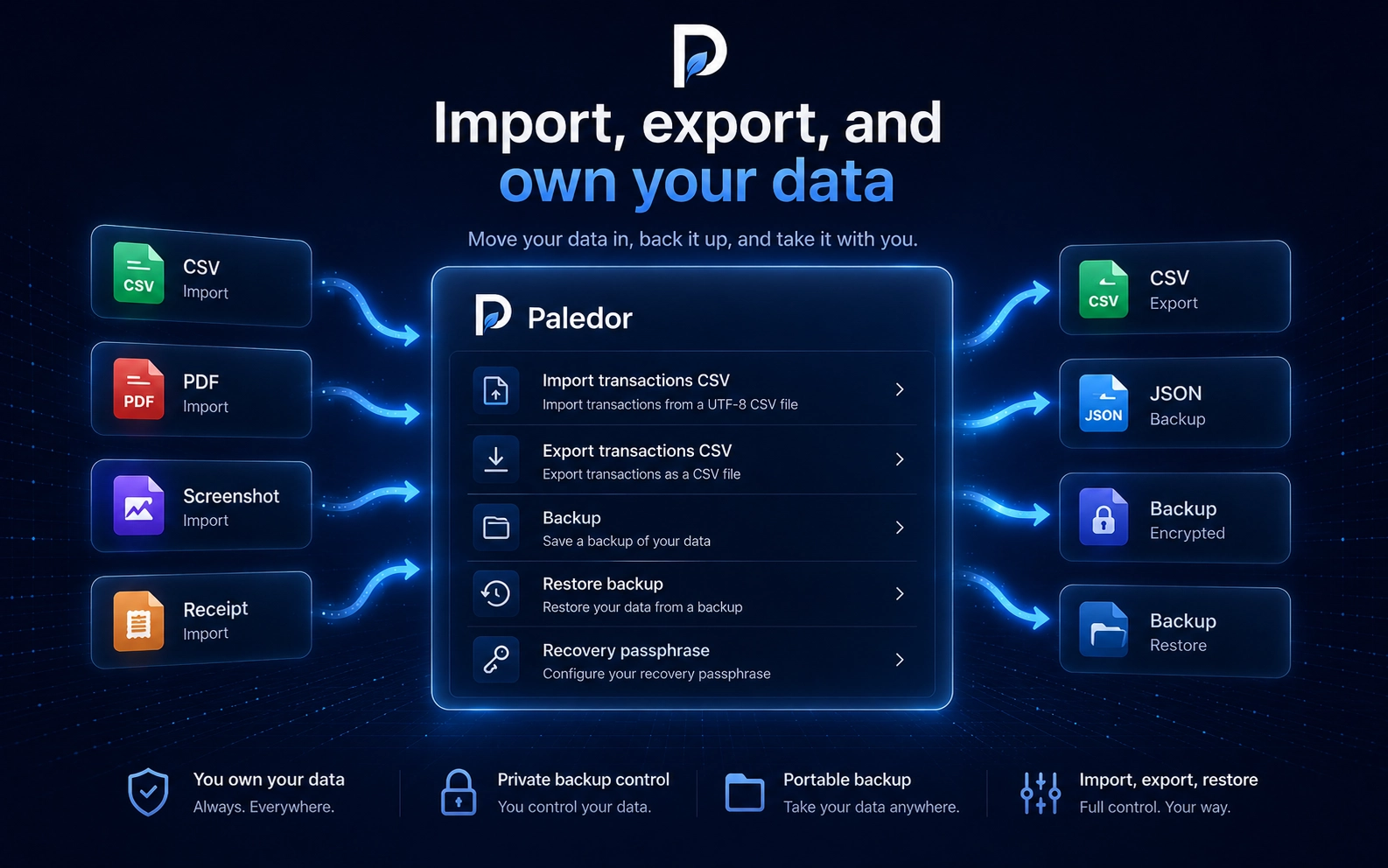
Paledor import, export, and data ownership visual showing CSV, PDF, screenshot, receipt, backup, restore, and recovery passphrase controls.

Data control

Import, export, and own your data

Move records in, export transactions, back up your app data, and restore it when needed.

  • CSV, PDF, screenshot, and receipt import
  • CSV export
  • JSON and encrypted backup

Budgeting

Budget tracking without spreadsheet fatigue

See monthly progress, category budgets, spending breakdowns, and trends without rebuilding a spreadsheet.
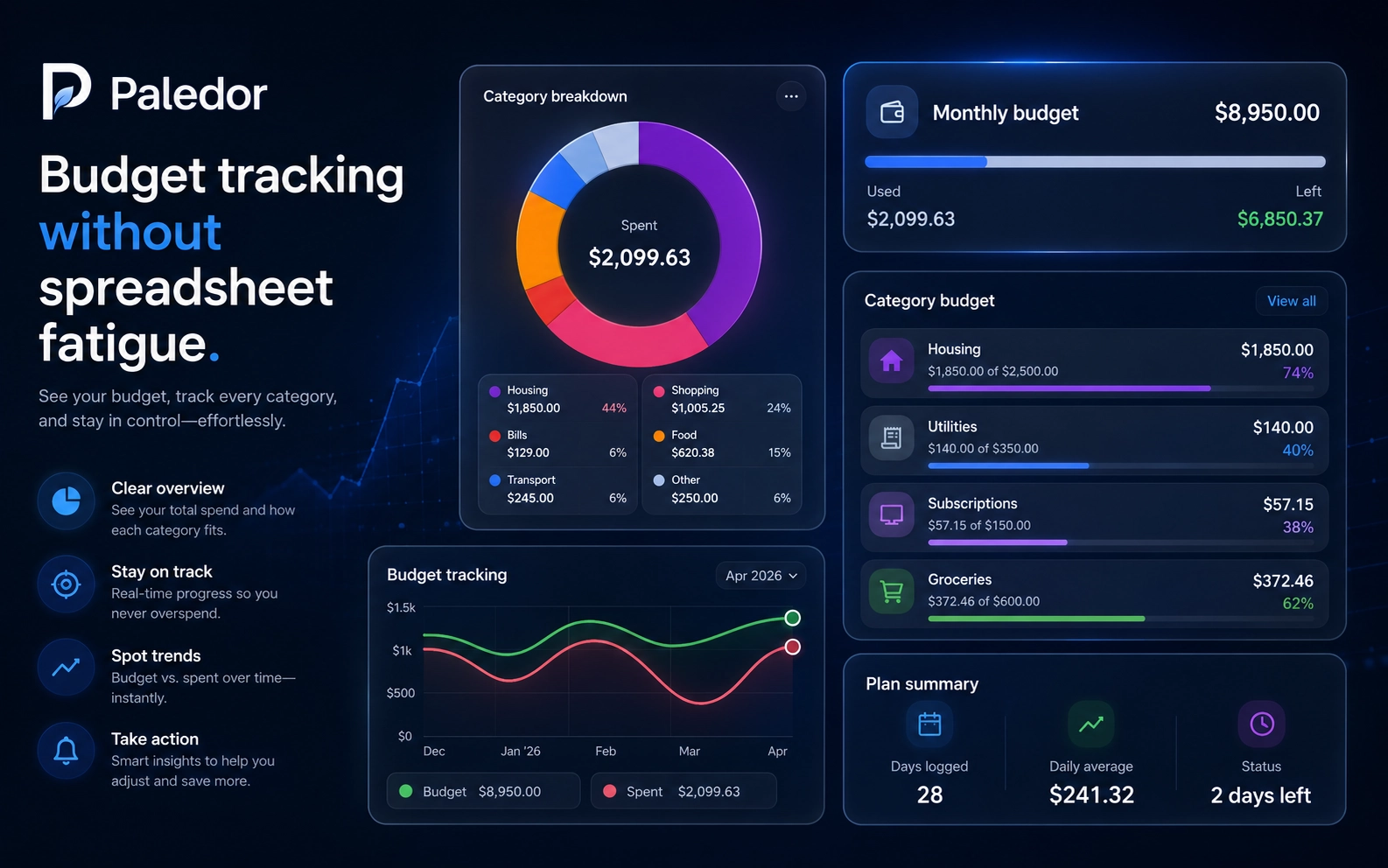
  • Monthly budget progress
  • Category breakdowns
  • Budget versus spent trends
Paledor budget tracking visual showing monthly budget, category breakdown, category budgets, spending trends, and plan summary.
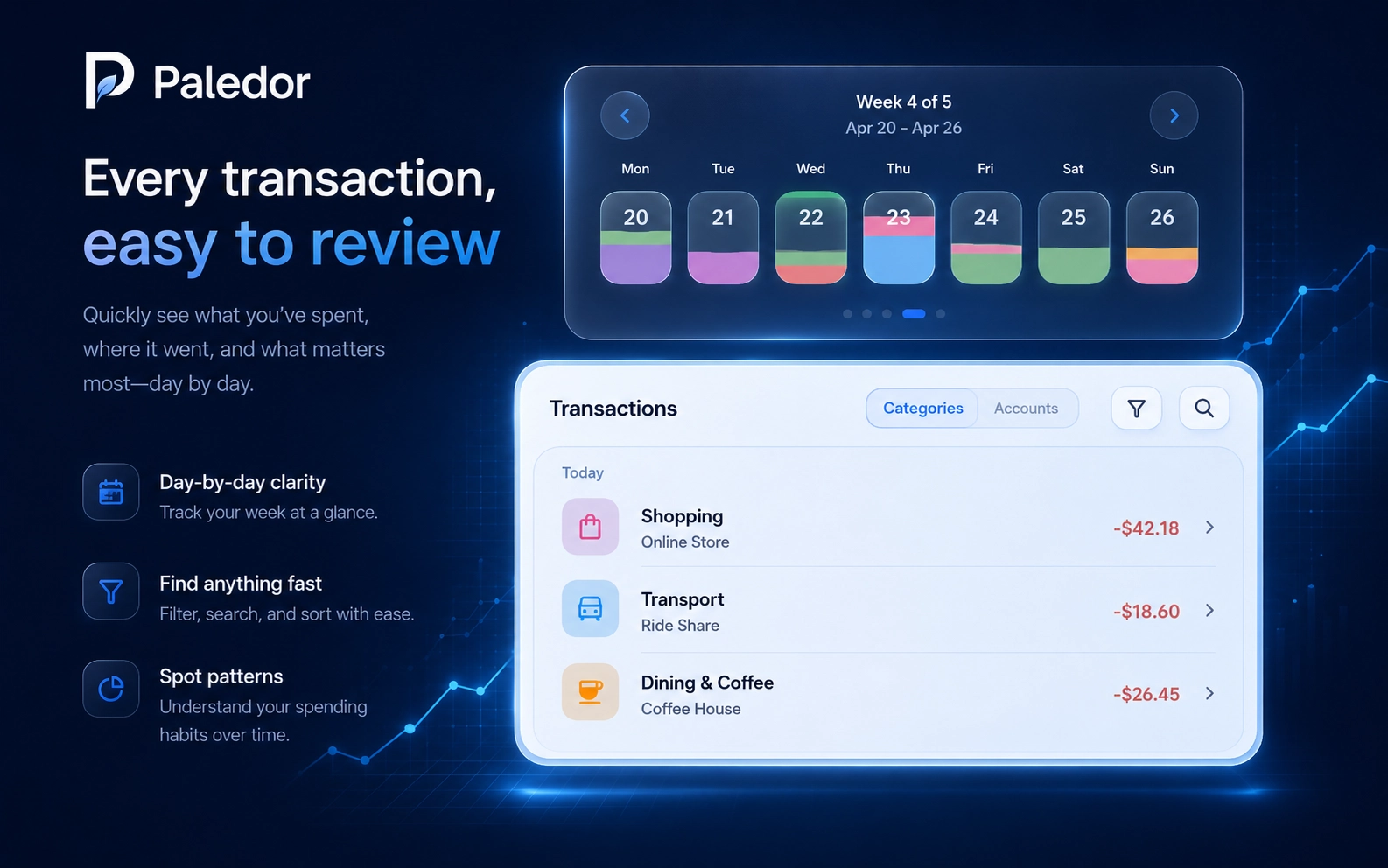
Paledor transaction review visual showing weekly calendar markers, transaction list, category view, search, and filter controls.

Activity

Every transaction, easy to review

Use calendar-based review, filters, search, and category views to stay on top of what actually happened.

  • Weekly calendar review
  • Filters and search
  • Category and account views

Goals

Goals and planning

Track targets, contributions, remaining amounts, and planning signals so future spending stays visible.

  • Progress tracking
  • Contribution history
  • Goal signals
Paledor goals and planning visual showing a savings goal, progress tiles, contribution rows, and goal signals.

Feature depth

Flexible tools for real monthly tracking.

Compact, practical features help keep the month organized without burying the important signals.

R

Recurring income and expenses

Track repeating money and review suggested recurring items.

S

Receipt scanning

Capture receipt details when manual entry slows you down.

I

Screenshot import

Bring transaction details in from saved screenshots.

C

CSV import

Import rows from a spreadsheet or exported transaction file.

P

PDF statement import

Use statements as another path into your history.

A

Accounts and transfers

Organize balances and movements between accounts.

M

Multi-currency support

Track spending across currencies with currency-aware records.

B

Encrypted backup

Back up your data with password-protected options.

K

Recovery passphrase

Keep recovery workflows visible and understandable.

T

Editable themes

Tune the app's look to match how you like to work.

D

Dark mode and presets

Switch between light, dark, and themed visual presets.

Privacy

Built for clarity and control.

Paledor is designed to make your financial life easier to review, organize, and understand, with a strong focus on privacy, transparency, and control.

Read the privacy policy

A clearer month starts here.

Paledor is coming soon.

Coming soon